

Description
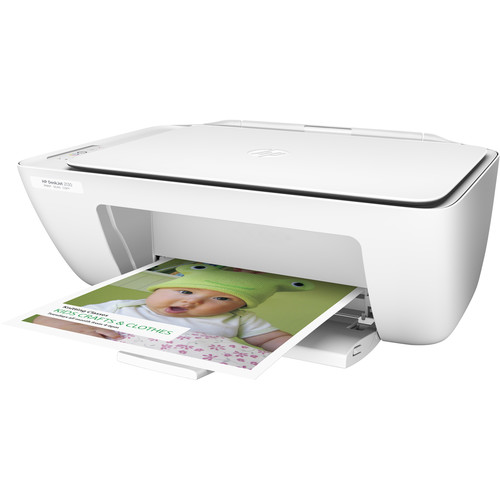
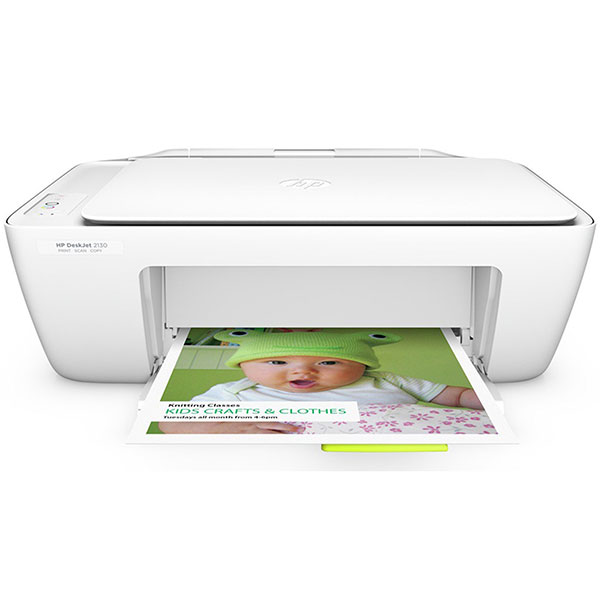
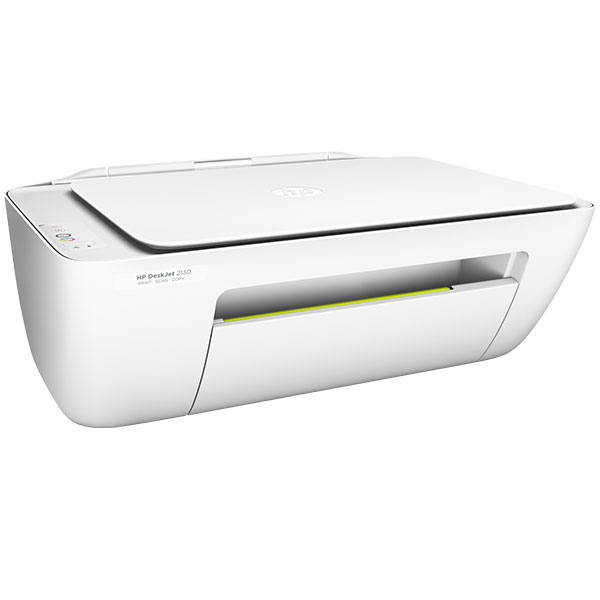
HP Deskjet Ink Advantage 2320 A4 Print Copy Scan Printer
Simplify your life with the simplest printer in town, the HP Deskjet 2320. This product is the epitome of user-friendliness with its simple 3 processes offering such as a printer, copier and scanner. With its instant printing technology, it can print 19 ppm / 18 ppm A4 size paper in minutes. It also has a colour print and scan functionality that makes it ideal in any office or even at home for those multiple tasks at hand. It is equipped with a unique HP Thermal Inkjet Print Technology, HP Deskjet Ink Advantage 2320 can deliver the best photo quality print out of about 4800 x 1200 Dpi. Though it weighs about 3.6 kg and consumes about 240 W. With it high star energy efficiency, it also has a humidity and temperature range of 80% RH and 40 degree Celsius respectively.
Ready For You
This HP Deskjet Ink Advantage 2320 comes loaded with Black and tri-colour ink. It is compatible with all operating systems such as Windows 7, Windows 8, Windows Vista, Windows XP SP3 or higher ( 32 bit only), Mac OS X v10.6 and Lion and Mountain Lion operating systems. This Printer is very easy to use and is made in such a way that it rarely requires any maintenance or service. In case your ink is over, HP provides the option of free recycling of cartridges using HP Planet Partners. It is efficient in its use of ink and wastage of ink does not take place. HP Deskjet Ink Advantage 2320 Color All-in-One Printer ensures a speed of 7 ppm for black ink and 4 ppm for coloured ink. Its black cartridge can last for up to 480 pages and coloured cartridges can print up to 100 pages.
Key Specifications
| Feature | Detail |
|---|---|
| Functions | Print, Scan, Copy (flatbed) |
| Print Technology | HP Thermal Inkjet |
| Print Speed (A4, ISO) | Up to ~7.5 ppm (black); ~5.5 ppm (colour) |
| Draft Speed | Up to ~20 ppm black; ~16 ppm colour |
| First Page Out (Ready-State) | Black: about 15 seconds; Colour: about 18 seconds |
| Print Resolution | Black: up to 1200 × 1200 rendered dpi; Colour: up to 4800 × 1200 optimised (on selected photo papers, with high input dpi) |
| Monthly Duty Cycle | Up to ~1,000 pages; Recommended usage ~50-100 pages/month for best reliability |
| Paper Handling | Input: ~60 sheets; Output: ~25 sheets |
| Copy Speed / Quality | Copy approx 6 copies per minute (black), ~3 cpm (colour); resolution up to ~600 × 300 dpi for copies |
| Scanner | Flatbed scanner; optical resolution up to 1200 dpi; supports scan formats such as JPEG, PDF, TIFF etc. |
| Connectivity | USB 2.0 only; no WiFi or network built in |
| Duplex Printing | Manual duplex (driver-assisted) — you flip pages yourself |
| Physical Size & Weight | Dimensions: ~425.2 × 304.1 × 149.1 mm; weight ~3.42 kg |
| Ink Cartridges | Uses 2 cartridges (black + tri-colour); high yield XL versions available |
Advantages
-
Very affordable option for light everyday tasks (home use, light study, small business where colour use is occasional).
-
Good print quality for text and basic colour graphics; decent resolution especially for its class.
-
Compact and lightweight; easy to place even if space is limited.
-
Low power consumption in idle/standby; simple functionality keeps things straightforward.
-
Manual duplex helps save paper if you don’t mind doing the flipping.
-
Setup is simple, especially via USB; minimal wiring / network configuration.
Limitations & Things to Consider
-
No wireless or network printing; it’s USB only, so sharing between multiple devices is less convenient.
-
Print speed is modest; colour or photo-heavy documents will take noticeably longer.
-
Tray capacities are limited; for bigger print jobs you’ll have to refill paper more often.
-
Manual duplex is less convenient than automatic two-sided printing.
-
Copy / scan quality for large or photo scans is good for its price, but won’t match specialised photo or professional scanners.
-
The recommended monthly usage is relatively low; if you push it too hard you may see more frequent wear or service requirements.
-
Original-cartridge requirements and dynamic security (HP firmware) need attention if you consider third-party/refill cartridges.
We are located at We are located at Jamia Mall Ground Floor shop G85B. Come see our latest laptops, explore features, and get expert assistance from our friendly team.



Reviews
There are no reviews yet.